TASKSSHARINGAICONTENT
NOVEMBER UPDATES 2025
A Month of Sharpening the Essentials
November's updates focus on refining the experience, making xTiles work faster, smarter, and more reliably. From improved task management to smoother workflows, we've tackled the small but essential details that boost your productivity and make xTiles feel more seamless and intuitive.
Task Priority
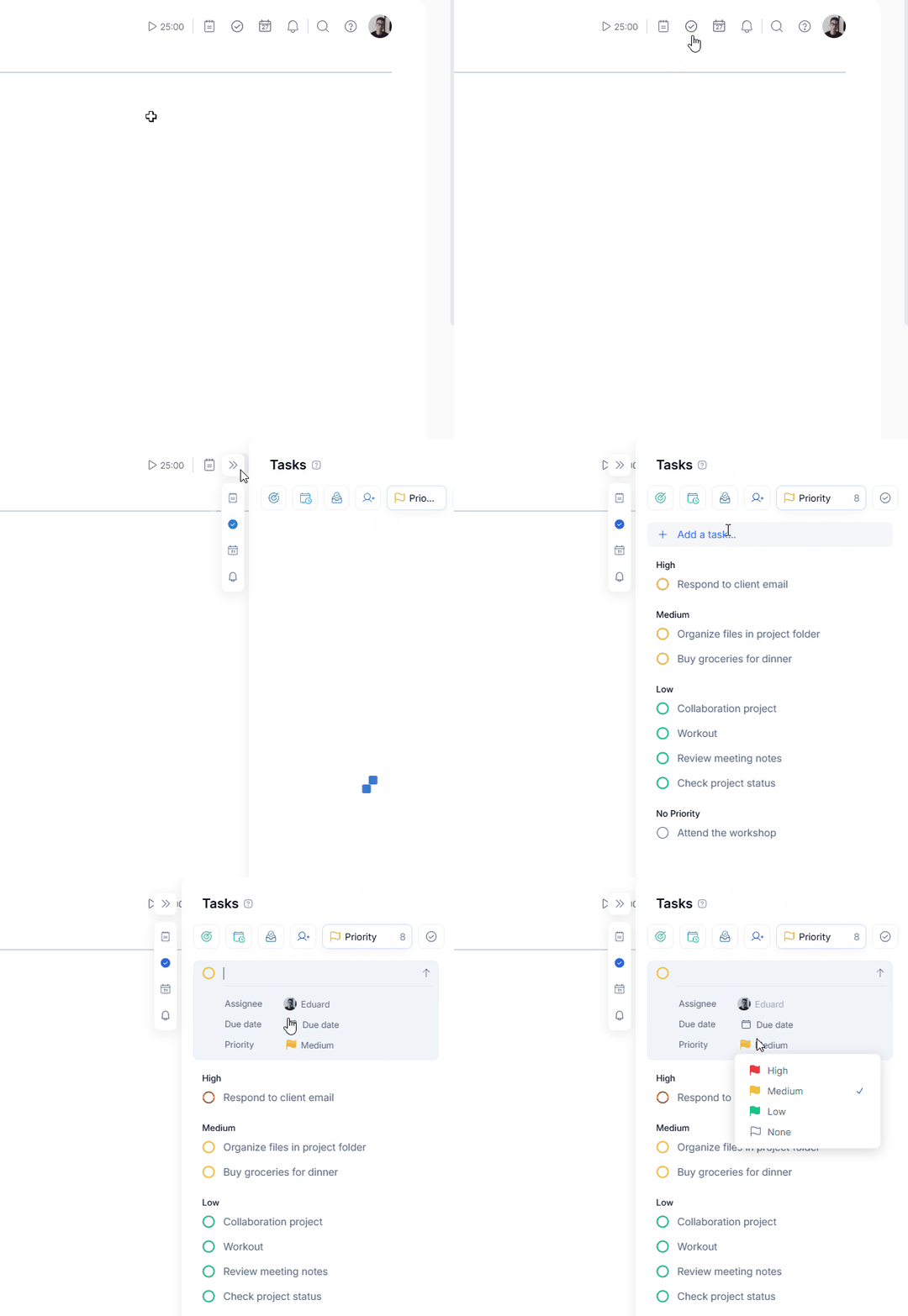
Set Priorities via Flag Icon
Click the flag icon next to any task to set High, Medium, Low, or None priority levels.
Task Panel Overview
All your prioritized tasks are grouped and displayed in dedicated sections to help you focus on what matters most.
Mobile Support
Task prioritization is now fully available on iOS and Android.
Task Priority
Set Priorities via Flag Icon
Click the flag icon next to any task to set High, Medium, Low, or None priority levels.
Task Panel Overview
All your prioritized tasks are grouped and displayed in dedicated sections to help you focus on what matters most.
Mobile Support
Task prioritization is now fully available on iOS and Android.
Improved Sharing Experience
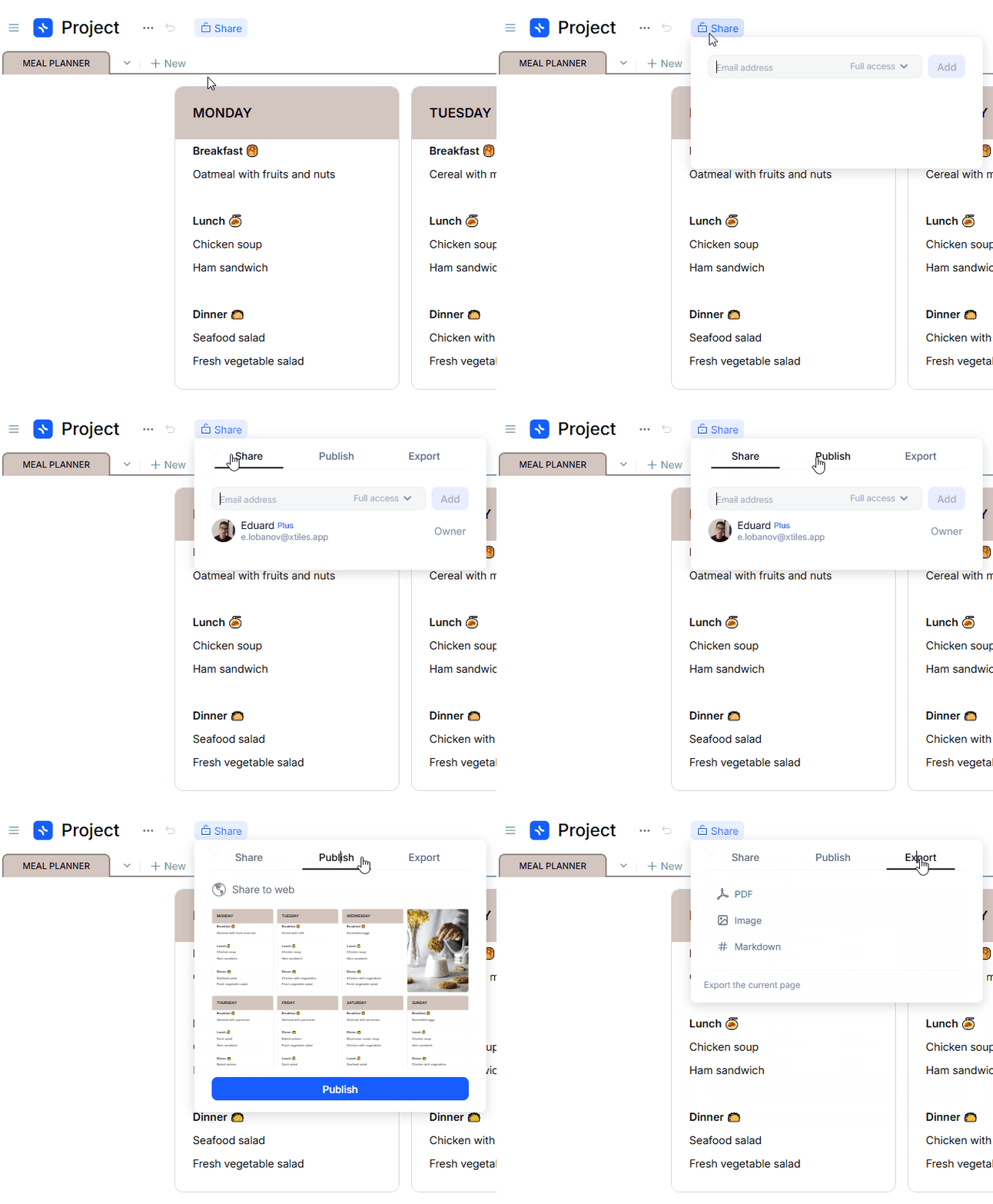
Redesigned Sharing Window
A cleaner interface with three distinct sections: Share, Publish, Export.
Mini Publish Preview
See how your project will look before you publish.
Flexible Export Options
Export to PDF, Image, Markdown, and more.
Improved Sharing Experience
Redesigned Sharing Window
A cleaner interface with three distinct sections: Share, Publish, Export.
Mini Publish Preview
See how your project will look before you publish.
Flexible Export Options
Export to PDF, Image, Markdown, and more.
Enhanced External Content Handling
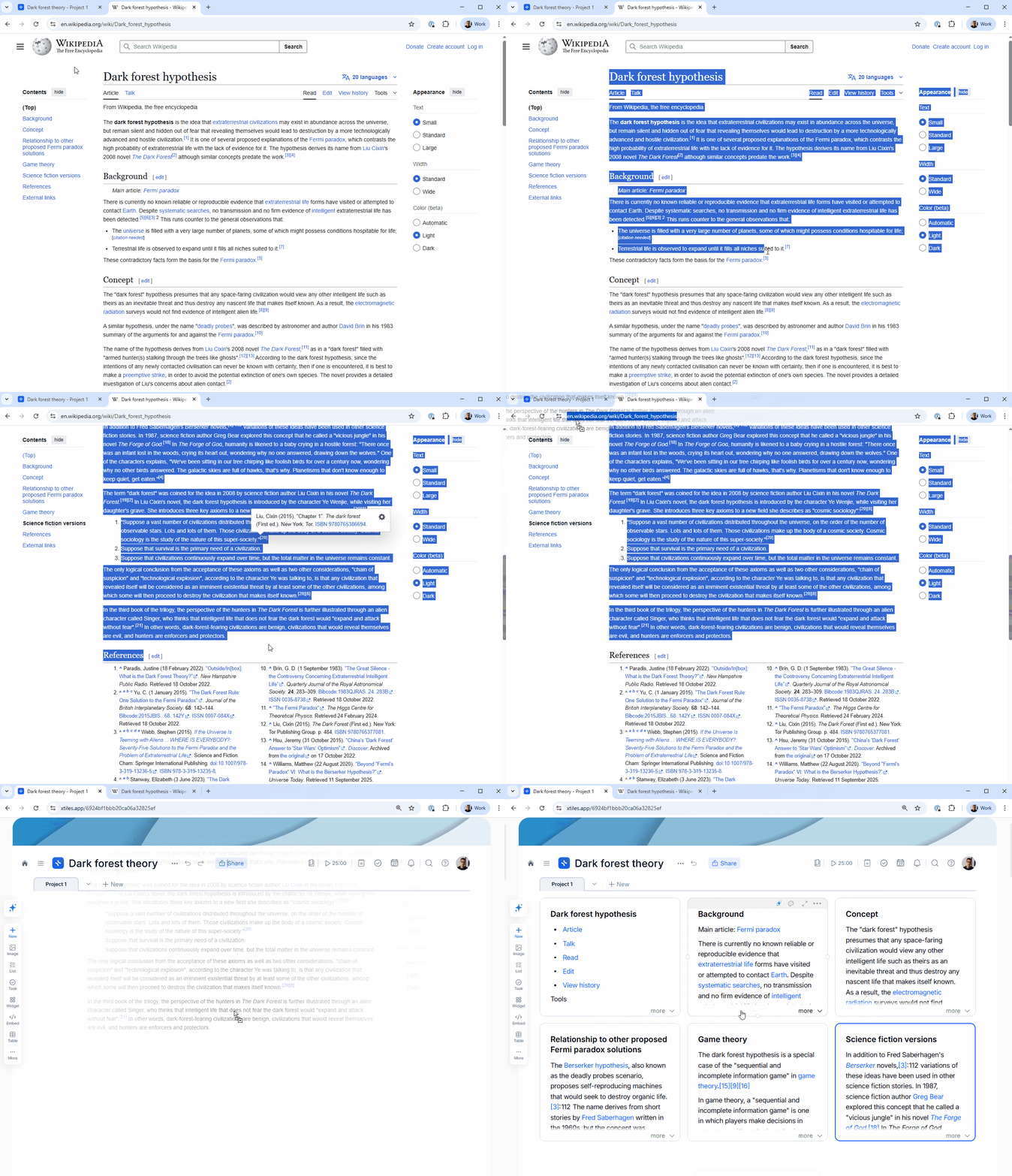
Automatic Formatting Detection
xTiles automatically recognizes and preserves formatting from external sources.
Support for Rich Content
Import tables, images, links, and formatted text seamlessly.
Improved Import UX
Better visual feedback during import operations.
Enhanced External Content Handling
Automatic Formatting Detection
xTiles automatically recognizes and preserves formatting from external sources.
Support for Rich Content
Import tables, images, links, and formatted text seamlessly.
Improved Import UX
Better visual feedback during import operations.
Integration with AI Browser Assistants
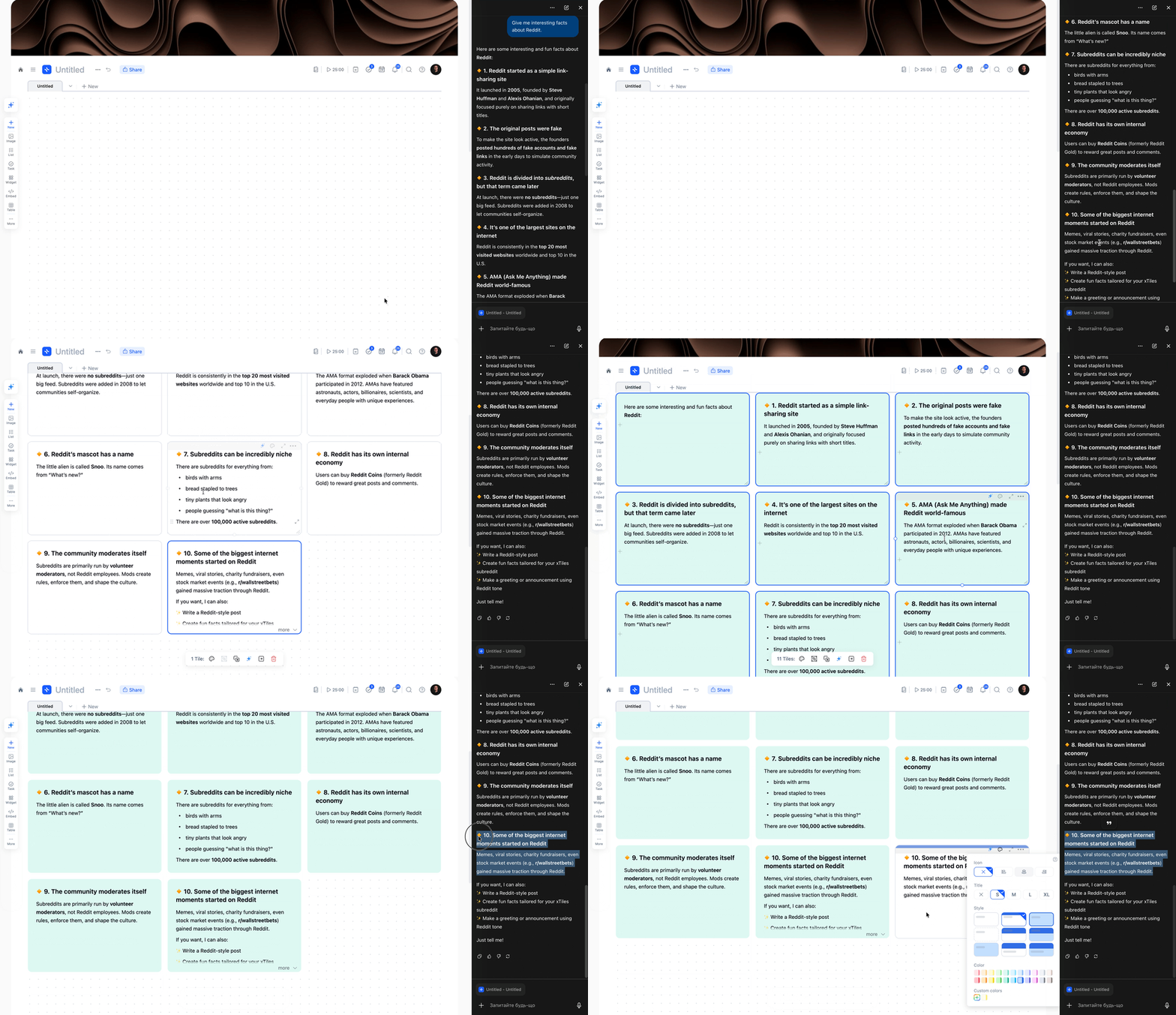
Smart Block Structuring
Content from AI assistants is automatically organized into structured tiles.
Integration with AI Browser Assistants
Smart Block Structuring
Content from AI assistants is automatically organized into structured tiles.
xTiles AI Enhancements
Export AI Projects as Images
Save your AI-generated content as high-quality images for easy sharing.
Better Generation Controls
More precise control over AI content generation with improved settings.
Improved Mobile Layout
Cleaner, more intuitive AI interface on mobile devices.
xTiles AI Enhancements
Export AI Projects as Images
Save your AI-generated content as high-quality images for easy sharing.
Better Generation Controls
More precise control over AI content generation with improved settings.
Improved Mobile Layout
Cleaner, more intuitive AI interface on mobile devices.
Small Fixes & Improvements
Improved Redo in Tile Focus Mode
- ✦Cmd/Ctrl + Y is now more reliable and predictable.
Updated Selection Logic
- ✦Better priority when previewing multiple collection cards.
Enhanced Bookmark View
- ✦Cleaner visuals when previewing and bookmarking links.
Every update, One Goal
Our goal is to make xTiles the starting point for your day and a home for your ideas. In November, we focused on sharpening the essentials — better task management, smoother sharing, and smarter content handling.
✦More coming in December.