JANUARY UPDATES 2026
Smarter Automation, Better Sharing, Deeper Control
In January, we focused on helping you work faster and with less effort. We launched a guided AI experience, improved task automation, made sharing tiles much quicker, and added thoughtful UX updates, new widgets, and system improvements.
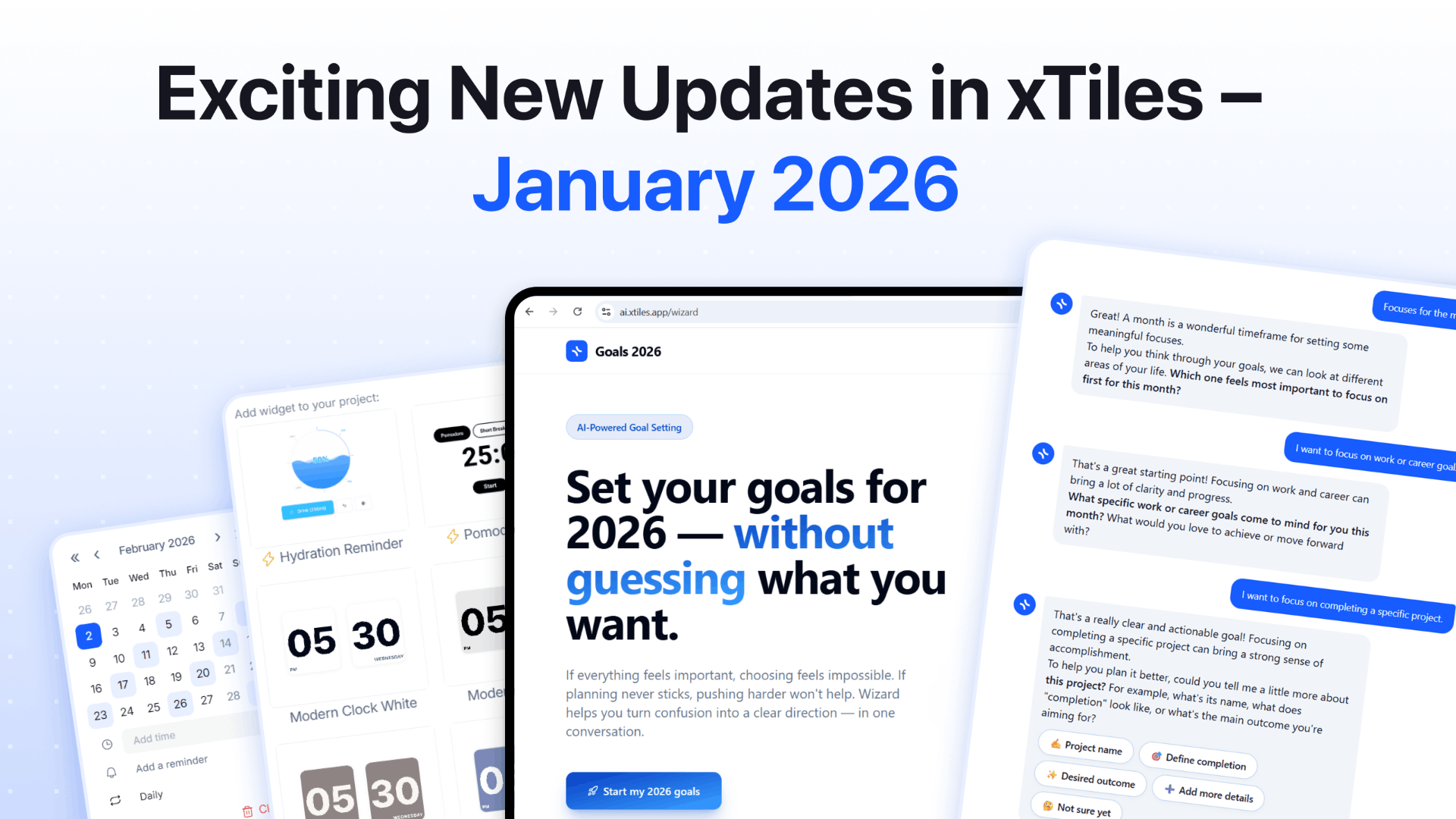
Custom Recurring Tasks
Fully Custom Recurrence
Not all routines are "every day" or "every Monday".
You can now set up recurring tasks with custom rules that fit your real work patterns, even if they're very specific or unusual.
Built for Real Work, Not Just Checklists
Use custom recurrence for:
- ✦Habits and daily routines
- ✦Content or sprint planning cycles
- ✦Monthly/quarterly reviews
- ✦Irregular or custom schedules
Now your tasks fit your schedule, instead of you having to adjust to them.
Custom Recurring Tasks
Fully Custom Recurrence
Not all routines are "every day" or "every Monday".
You can now set up recurring tasks with custom rules that fit your real work patterns, even if they're very specific or unusual.
Built for Real Work, Not Just Checklists
Use custom recurrence for:
- ✦Habits and daily routines
- ✦Content or sprint planning cycles
- ✦Monthly/quarterly reviews
- ✦Irregular or custom schedules
Now your tasks fit your schedule, instead of you having to adjust to them.
Tile Sharing
Copy Tiles as Images
Sometimes you just want to show, not explain.
Now you can copy any tile as an image and add it directly to chats, documents, or social media. No extra exports or screenshots needed—just copy and paste.
Deep Links to Tiles
Need to bring someone to exactly the right place?
Copy a direct link to any tile, so teammates go straight to the right content. This means faster navigation, easier collaboration, and fewer "Where is this?" messages.
Tile Sharing
Copy Tiles as Images
Sometimes you just want to show, not explain.
Now you can copy any tile as an image and add it directly to chats, documents, or social media. No extra exports or screenshots needed—just copy and paste.
Deep Links to Tiles
Need to bring someone to exactly the right place?
Copy a direct link to any tile, so teammates go straight to the right content. This means faster navigation, easier collaboration, and fewer "Where is this?" messages.
New Custom Widgets
More Control Over Your Workspace
Designed for Real-Life Flexibility
New Custom Widgets
More Control Over Your Workspace
Designed for Real-Life Flexibility
New Task Completion Animation
Marking a task as done should feel rewarding.
We added a new completion animation that is subtle but satisfying. It's clear when something is done and pleasant enough to make you want to finish the next task.
New Task Completion Animation
Marking a task as done should feel rewarding.
We added a new completion animation that is subtle but satisfying. It's clear when something is done and pleasant enough to make you want to finish the next task.
Small Fixes & Improvements
Onboarding & Core Navigation
- ✦New Help Center for faster onboarding, clearer answers, and easier access to support.
- ✦Location property for Projects and Pages to better organize and navigate your workspace.
- ✦Icons for nested elements in Table view to make complex structures easier to scan at a glance.
Experience Improvements (Mobile & Workspace)
- ✦Clearer empty states and an improved Feed / Canvas toggle on mobile so it's always obvious where you are and what to do next.
- ✦Drag and drop onto a tile (desktop) to quickly collapse content and keep your workspace tidy.
Billing & Account
- ✦Simpler billing management — add or remove cards directly in billing settings.
Every update, One Goal
Our goal is to make xTiles the starting point for your day and a home for your ideas. In January, we focused on smarter automation, better sharing, and deeper control over your workspace.
✦More coming in February.